
Administrator's Guide






14 Cisco Unified Web and E-Mail Interaction Manager System Administration Guide
Configure media classes
Configuring media routing domains (MRDs)
A media routing domain is created in Unified CCE for mapping to queues in Cisco Interaction Manager. For the
email media class, configure one or more email media routing domains.
To configure a media routing domain:
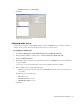
1. Go to Start > All Programs > ICM Admin Workstation > Configuration Manager.
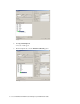
2. In the Configuration Manager window, browse to Tools > List Tools > Media Routing Domain List.
3. Double-click Media Routing Domain List.
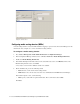
4. In the Media Routing Domain List window, in the Select filter data section, click Retrieve. Then, in the
Media Routing Domain section, click Add.
A new entry is created and the Attributes tab becomes editable.
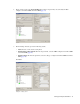
5. On the Attributes tab, provide the following details:
Name: Provide a name for the media routing domain.
Media class: Select a media class created for Cisco Unified Web and E-Mail Interaction Manager.
In the Calls in Queue section, set the following:
Max: Specify a value. This is required information. The recommended value is 5000.
Click Save.