
Release Notes




7
Release Notes for Cisco SocialMiner Release 8.5(4) October 17, 2011
New and Changed Features
Filter State Icons
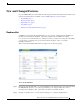
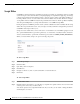
The Filters gadget now has an interface similar to that of the Feeds gadget. A column with State icons
shows the current status of each filter:
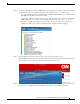
Hover the cursor over the icon to display a tool tip that explains the state.
• A green icon means the filter is working properly.
• A red icon indicates an error. Hover over the error icon to display a tool tip with the error text. NOTE
that Cisco Support and the SocialMiner Forum on the Cisco Developer Network do not assist with
Groovy script issues. Direct all troubleshooting requests to your script developer.
• A blue icon appears during a brief interim state while SocialMiner checks the status of the filter,
after which the icon changes to red or green.