
Release Notes




3
Release Notes for Cisco SocialMiner Release 8.5(4) October 17, 2011
New and Changed Features
New and Changed Features
Cisco SocialMiner Release 8.5(4) includes the following new features and enhancements. Details on all
features and enhancements is available on the SocialMiner Release 8.5(4) User Guide.
• Bookmarklet, page 3
• Extension Fields, page 6
• Filter State Icons, page 7
• Script Filter, page 8
• Twitter Account Feed Reauhorization, page 9
Bookmarklet
SocialMiner 8.5(4) adds the Bookmarklet feature for easy creation of Twitter Search and RSS feeds.
Creating a feed using the Bookmarklet—rather than completing the SocialMiner feed dialog
box—provides a one-click alternative for adding feeds. Once you create a feed using the bookmarklet,
you can add it to a campaign and you can edit it in the Feeds gadget—just as you would a
manually-created feed.
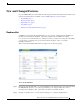
There is a Feed Bookmarklet link at the l
ower right corner of the Feeds gadget.
To use the Bookmarklet:
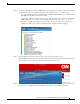
Step 1 Drag the Feed Bookmarklet link to the to the Mozilla Firefox Bookmarks toolbar. (If you click the Feed
BookMarklet link directly, you see a message instructing you to drag the link to the toolbar.)
To display the Bookmarks toolbar, select Views > Toolbars > Bookmarks Toolbar.
Step 2 Navigate to a Twitter ad-hoc or saved Search result page or to a website with RSS feeds.