
Troubleshooting Guide
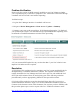

E x pected time to clean is typically less than one minute. I f after ten minutes you have not
received a success message or you receive any other message back please contact the
Cisco T echnical Assistance Center.
N o t e : D o no t r e b o o t t h e S t a nd b y N A C M a na g e r a t t h i s t i m e .
12 . Continue to NAC S erver R epair
NAC S erv er (CAS ) Repair:
P lease ensure that you have completed the previous steps for NAC M anager ( CAM )
R ecovery before you proceed
1. S S H to the Active NAC S erver.
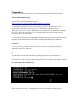
U se the follow ing command to verify that you are logged into the Active NAC S erver:
/ p e r f i g o / c o m m o n/ b i n/ f o s t a t e . s h
T he command should respond w ith:
M y node is active, peer node is standby
2 . R eboot the active NAC S erver by ex ecuting the follow ing command
s e r v i c e p e r f i g o r e b o o t
W ait 5 to 10 minutes for the NAC S erver to complete the boot cycle. T his w ill become
standby NAC server. M ak e sure it becomes standby by check ing via the command
/ p e r f i g o / c o m m o n/ b i n/ f o s t a t e . s h .
T he command should respond w ith:
M y node is standby, peer node is active
3 . Now reboot the new active NAC S erver. U se the follow ing command to verify that
you are logged into the Active NAC S erver:
/ p e r f i g o / c o m m o n/ b i n/ f o s t a t e . s h
T he command should respond w ith:
M y node is active, peer node is standby
4. R eboot the active NAC S erver by ex ecuting the follow ing command
s e r v i c e p e r f i g o r e b o o t
W ait 5 to 10 minutes for the NAC S erver to complete the boot cycle. T his w ill become
standby NAC server. M ak e sure it becomes standby by check ing via the command
/ p e r f i g o / c o m m o n/ b i n/ f o s t a t e . s h .
T he command should respond w ith:
M y node is standby, peer node is active