
Technical Manual
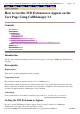


1. On the Cisco CallManager Administration menu, choose
User > Global Directory
.
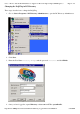
2. Select a user to whom you want to give an ICD extension.
3.
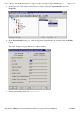
On the User Configuration page, in the left area, click
Device
Association
.
Page
6
of
8
Cisco
-
How to Get the ICD Extension to Appear on the User Page Using CallManager 3.3
7/22/2004
http://kbase:8000/paws/servlet/ViewFile/13956/icd_ext_pdf.xml?convertPaths=1