
Specifications

Configuring Cisco Unified SIP SRST Features Using Back-to-Back User Agent Mode (for Version 3.4 and Version 4.0
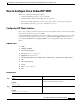
How to Configure Cisco Unified SIP SRST
52
Cisco Unified SIP SRST 4.0 System Administrator Guide
Step 3
voice register global
tag
Example:
Router(config)# voice register global 12
Enters voice register global configuration mode to set
global parameters for all supported Cisco SIP IP phones in
a Cisco Unified SIP SRST environment.
Step 4
max-pool
max-voice-register-pools
Example:
Router(config-register-global)# max-pool 10
Sets the maximum number of SIP voice register pools that
are supported in a Cisco Unified SIP SRST environment.
The max-voice-register-pools argument represents the
maximum number of SIP voice register pools supported by
the Cisco Unified SIP SRST router. The upper limit of voice
register pools is version- and platform-dependent; see
Cisco IOS command-line interface (CLI) help. Default is 0.
Step 5
application
application-name
Example:
Router(config-register-global)# application
global_app
Selects the session-level application for all dial peers
associated with SIP phones. Use the application-name
argument to define a specific interactive voice response
(IVR) application.
Step 6
external-ring {bellcore-dr1 | bellcore-dr2 |
bellcore-dr3 | bellcore-dr4 | bellcore-dr5}
Example:
Router(config-register-global)# external-ring
bellcore-dr1
Specifies the type of ring sound used on Cisco SIP or
Cisco SCCP IP phones for external calls. Each bellcore-dr
1-5 keyword supports standard distinctive ringing patterns
as defined in the standard GR-506-CORE, LSSGR:
Signaling for Analog Interfaces.
Step 7
exit
Example:
Router(config-register-global)# exit
Exits voice register global configuration mode.
Step 8
voice register pool
tag
Example:
Router(config)# voice register pool 20
Enters voice register pool configuration mode for SIP
phones.
• Use this command to control which phone registrations
are to be accepted or rejected by a Cisco Unified SIP
SRST device.
Step 9
no vad
Example:
Router(config-register-pool)# no vad
Disables voice activity detection (VAD) on the VoIP dial
peer.
• VAD is enabled by default. Because there is no comfort
noise during periods of silence, the call may seem to be
disconnected. You may prefer to set no vad on the SIP
phone pool.
Command or Action Purpose