
Specifications





Configuring the SIP Registrar
How to Configure the SIP Registrar
29
Cisco Unified SIP SRST 4.0 System Administrator Guide
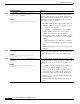
Step 7
proxy
ip-address
[preference
value
] [monitor
probe {icmp-ping | rtr} [
alternate
-
ip-address
]]
Example:
Router(config-register-pool)# proxy
10.2.161.187 preference 1
Autogenerates additional VoIP dial peers to reach the main
SIP proxy whenever a Cisco Unified SIP IP Phone registers
with a Cisco Unified SIP SRST gateway. The keywords and
arguments are defined as follows:
• ip-address: IP address of the SIP proxy.
• preference value: (Optional) Defines the preference of
the proxy dial peers that are created. The preference
must be less (higher priority) than the preference
configured with the preference command.
Range is from 0 to 10. The highest preference is 0.
There is no default.
• monitor probe: (Optional) Enables monitoring of
proxy dial peers.
• icmp-ping: Enables monitoring of proxy dial peers
using ICMP ping.
Note The dial peer on which the probe is configured
will be excluded from call routing only for
outbound calls. Inbound calls can arrive
through this dial peer.
• rtr: Enables monitoring of proxy dial peers using RTR
probes.
• alternate-ip-address: (Optional) Enables monitoring of
alternate IP addresses other than the proxy address. For
example, to monitor a gateway front end to a SIP proxy.
Step 8
voice-class codec
tag
Example:
Router(config-register-pool)# voice-class codec
15
Sets the voice class codec parameters. The tag argument is
a codec group number between 1 and 10000.
Step 9
application
application-name
Example:
Router(config-register-pool)# application
SIP.App
Selects the session-level application on the VoIP dial peer.
Use the application-name argument to define a specific
interactive voice response (IVR) application.
Step 10
end
Example:
Router(config-register-pool)# end
Returns to privileged EXEC mode.
Command or Action Purpose