
Specifications




Getting Started
How to Upgrade from Cisco SIP SRST 3.0 to Cisco Unified SIP SRST 4.0
21
Cisco Unified SIP SRST 4.0 System Administrator Guide
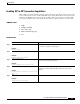
Enabling SIP-to-SIP Connection Capabilities
VoIP-to-VoIP connections permit the termination and reorigination of transferred and forwarded calls
over the VoIP network. For Cisco Unified SIP SRST 4.0 we enable SIP-to-SIP connections for hairpin
call routing. The B2BUA that routes the call uses the SIP-to-SIP connection. Because VoIP-to-VoIP
connections are disabled on the router by default, they must be explicitly enabled to use call routing.
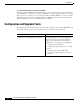
SUMMARY STEPS
1. enable
2. configure terminal
3. voice service voip
4. allow-connections sip to sip
5. end
DETAILED STEPS
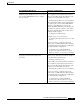
Command or Action Purpose
Step 1
enable
Example:
Router> enable
Enables privileged EXEC mode.
• Enter your password if prompted.
Step 2
configure terminal
Example:
Router# configure terminal
Enters global configuration mode.
Step 3
voice service voip
Example:
Router(config)# voice service voip
Enters voice service configuration mode to establish global call
transfer and forwarding parameters.
Step 4
allow-connections sip to sip
Example:
Router(config-voi-srv)# allow-connections
sip to sip
Enables VoIP-to-VoIP call connections. Use the no form of the
command to disable VoIP-to-VoIP connections, which is the
default.
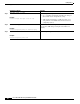
Step 5
end
Example:
Router(conf-voi-serv)# end
Returns to privileged EXEC mode.