
Specifications




Getting Started
Configuration and Upgrade Tasks
17
Cisco Unified SIP SRST 4.0 System Administrator Guide
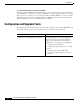
If you are interested in Cisco Unified SIP
SRST 4.0 (using a B2BUA) and have never used
Cisco Unified SIP SRST in the past, complete
these procedures.
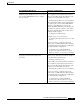
VoIP-to-VoIP connections permit the termination
and reorigination of transferred and forwarded
calls over the VoIP network. The following task
describes how to allow SIP connections:
• Enabling SIP-to-SIP Connection Capabilities
SIP registrar functionality in Cisco IOS software
is a required part of Cisco Unified SIP SRST. A
registrar accepts SIP Register requests and
dynamically builds VoIP dial peers, allowing the
Cisco IOS voice gateway software to route calls to
SIP phones. The following task describes how to
configure the SIP registrar:
• Configuring the SIP Registrar
Configure a basic voice register pool:
• Configuring Backup Registrar Service to SIP
Phones
You are now ready to configure Version 4.0
features such as call blocking and call forwarding.
The following chapter describes the call blocking
and call forwarding configurations:
• Configuring Cisco Unified SIP SRST
Features Using Back-to-Back User Agent
Mode (for Version 3.4 and Version 4.0 Only)
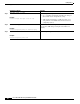
If you are currently running Version 3.0 and want
to upgrade to Version 4.0, complete these
procedures.
Since Version 4.0 uses a B2BUA and not a
redirect server, call redirection must be disabled
as described in the following task:
• Disabling Call Redirection
VoIP-to-VoIP connections permit the termination
and reorigination of transferred and forwarded
calls over the VoIP network. The following task
describes how to allow SIP connections:
• Enabling SIP-to-SIP Connection Capabilities
You are now ready to configure Version 4.0
features such as call blocking and call forwarding.
The following chapter describes the call blocking
and call forwarding configurations:
• Configuring Cisco Unified SIP SRST
Features Using Back-to-Back User Agent
Mode (for Version 3.4 and Version 4.0 Only)
Cisco Unified SIP SRST Version Instructions and Procedures