
User guide






Send comments to n5kdocs@cisco.com
3-10
Cisco Nexus 5000 Series Hardware Installation Guide
OL-15902-01
Chapter 3 Installing the Cisco Nexus 5500 Platform or 5000 Series Switch
Installing the Cisco Nexus 5020 Chassis in a Cabinet or Rack
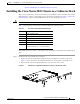
Figure 3-5 Sliding the Chassis Into the Rack
Step 5 Stabilize the switch in the rack by attaching the front rack-mount brackets to the front rack-mounting
rails:
a. Insert two screws (12-24 or 10-32, depending on rack type) through the cage nuts and the holes in
one of the front rack-mount brackets and into the threaded holes in the rack-mounting rail. See
Figure 3-6.
b. Repeat for the front rack-mount bracket on the other side of the switch.
Figure 3-6 Attaching the Switch to the Rack
186413
186414