IP Phone User Manual
Manuals
Brands
Cisco Systems Manuals
IP Phone
Wireless IP Phone 7920
41
42
43
44
45
46
47
48
49
50
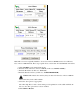
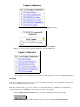
The new client appears on the menu.
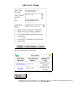
Click the User Setup button to navigate to the User Setup page.
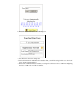
Enter the same user name that you assigned to the Cisco 7920 in the Configuring the Cisco
7920 section of this document, and click
Add/Edit
.
a.
3.
1
...
...
40
41
42
43
44
...
...
54