
Network Router User Manual
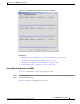
Table Of Contents
- Cisco WAN Manager Operations
- Saving and Restoring Configurations
- Downloading Software and Firmware
- Deleting Images
10-4
Cisco WAN Manager User’s Guide
Release 15, Part Number OL-4552-01 Rev. C0, January 27, 2005
Chapter 10 Cisco WAN Manager Operations
Saving and Restoring Configurations
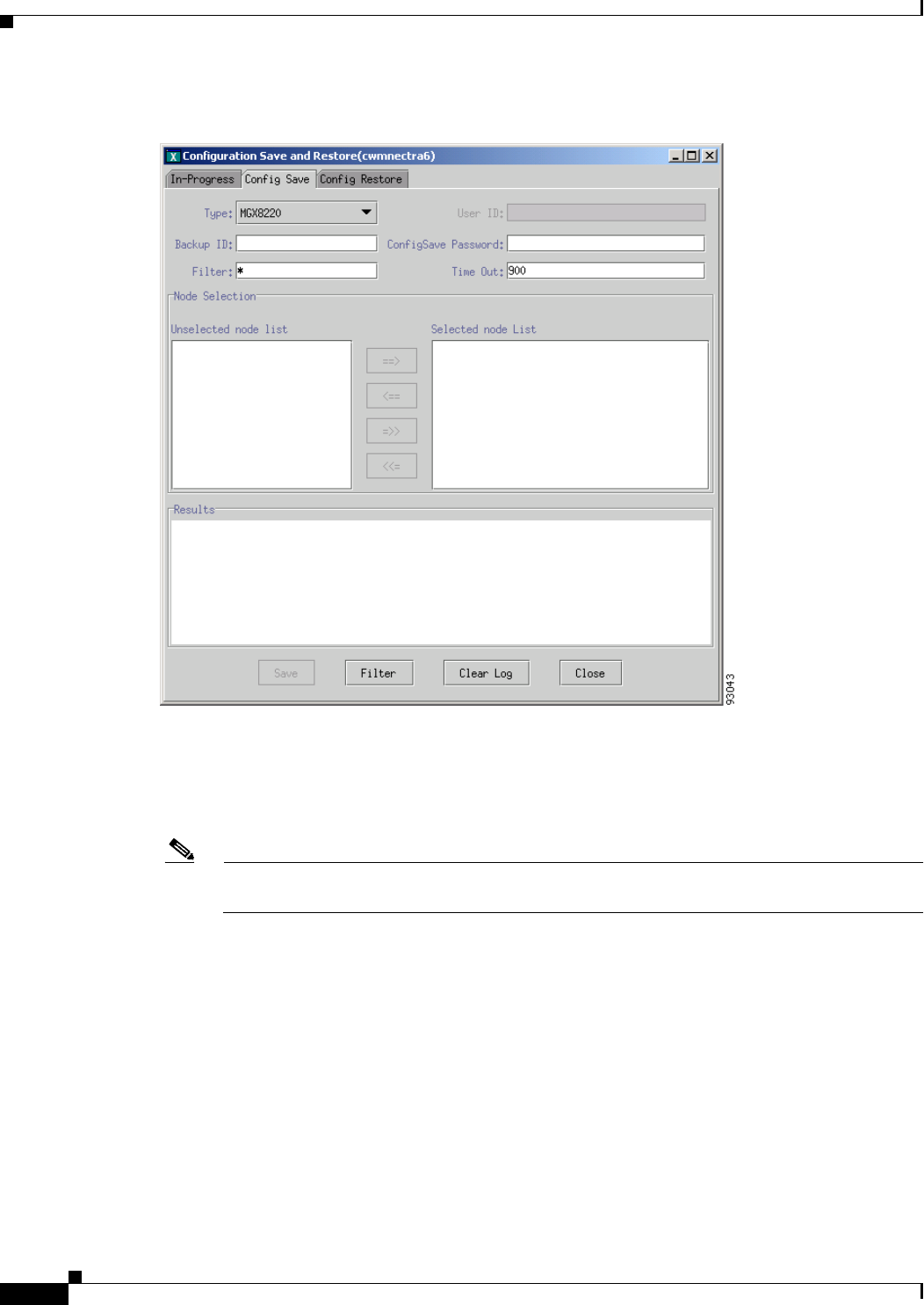
Figure 10-2 Configuration Save Window
Step 3
Choose the node type from the Type drop-down arrow.
Step 4 Enter the backup ID in the Backup field. The backup ID is used as part of the filename that is created
and stored in CWM. The maximum number of characters is less than 255. You must follow the UNIX
filename limitation rule.
Note For Cisco BPX 8600 and Cisco IGX 8400 series nodes, the maximum number of characters is
eight.
Step 5 Depending upon the node type, enter a username in the User ID field.
The Save button is greyed out until a username and password are entered.
The PXM1-based switches (Cisco MGX 8230, Cisco MGX 8250, and PXM1-based
Cisco MGX 8850) use TFTP to upload and download configurations. You must enter the correct
username in the User ID field.
When you are managing your configuration files for any non-PXM1-based switches, you are required to
enter a valid username in the User ID field. For information about the access privileges for Configuration
Save and Restore, see Chapter 2, “Getting Started with Cisco WAN Manager.”
Step 6 Enter the password in the ConfigSave Password field.