
Network Router User Manual

7-10
Cisco VPN Solutions Center: MPLS Solution User Guide
78-10548-02
Chapter 7 MPLS VPN Solution Troubleshooting Guide
Auditing Problems
Auditing Problems
Both the Audit new service requests and Audit existing service requests audit types provide two tests: a
deployed test and—if specified by checking Use VPN routing information during audits in the task
window—a routing test.These tests are performed in that order. However, if the deployed test fails, the
routing test is not performed.
The deployed test tests whether the router configuration files reflect the service request intent. MPLS
VPN Solution takes the configuration files and builds a “model router” from the configuration
information. The deployed test builds a software model of the router and audits it. Hence this makes our
audit “attribute based.”
However, the deployed test cannot determine whether the service is actually running.The routing test
(“audit routing”) tests whether the VPN routing tables indicate the service is present.
If the service request fails an Audit New Service Request, it is kept in Pending. If the service request
passes this audit and audit routing is enabled (by checking Use VPN routing information during audits
in the task window), MPLS VPN Solution tests whether there is adequate data for audit routing. If the
audit does not have the data or the Use VPN routing information during audits is not checked, the
service request moves to Deployed.
If the routing test passes, the service request moves to Functional. If the routing test fails, the service
request is Broken.
The starting state for an Audit Existing Service Request can be Deployed, Lost, Functional, or Broken
(refer to Table 7-1 on page 7-1). In each case, the deployed and routing tests are performed in order.
If the deployed test fails, the service request moves to (or remains in) the Lost state. If the routing test
fails, the service request moves to (or remains in) the Broken state. If the deployed test succeeds, the
service request moves to (or remains in) the Deployed state; if the ensuing routing test succeeds, the
service request moves to (or remains in) the Functional state.
1. Question: My service request is stuck in Pending or Lost. How do I find out what went wrong?
Answer:
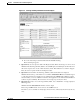
a. For a service request stuck in Pending, generate a service request audit report and select the
Audit new service requests checkbox. In the report window, select Audit Details.
For a service request stuck in Lost, generate a service request audit report and select the Audit
existing service requests checkbox. In the report window, select Audit Details.
This gives you the audit trace for both the PE and CE. There are two columns—one for the PE
and other for the CE.
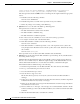
b. Look in the “Audit Status” row.
For the audit to pass, both should say “Success.” However, as the service request is stuck in
Pending or Lost, one or both of them should say “Failure.”
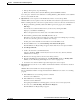
c. Go to the column and read through the audit details.
One or both of the tests would fail and the audit details explains why it failed. (This is usually
reported in the next-to-last line.)
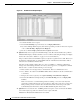
d. Read the error information.
The problem is usually missing or wrong configuration information on the router. Has this
configuration command generated in the configlet? The configlet for the router is given below
in the same column.
e. See if the command is present, and if present, whether it is correct.