
User manual




7.0 USING INPUTS AND CHANNELS
48 R599791 - FORCE 3D User Manual
Operation submenu. Select Delete and press ENTER. A window will appear to confirm the deletion of this channel.
Delete Channel
To delete multiple Channels
Highlight any channel in the Channel Setup menu and press ENTER to go to the Select Channel Operation
submenu. Select Delete Unlocked Only and press ENTER to delete all unlocked channels. Select Delete All
Channels to delete all channels, even those that are locked. In either case, the current channel will remain but will
be redefined from projector defaults.
NOTE: For any deletion, a window will appear to confirm the deletion of the desired channel. Select CANCEL
(default) if you don’t want to delete after all.
Edit Channel
• STEP 1: Press MENU from the presentation level to display the Main menu. To display the Channel Setup
menu, press 3 or move the highlight to the Channel Setup option and press ENTER. The Channel Setup menu
will appear.
• STEP 2: To edit parameters shown in the Channel Setup menu, select the relevant channel and press ENTER.
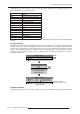
The Channel Edit menu will appear similar to the sample shown below.
• STEP 3: If desired, review and/or edit the following channel setups in the Channel Edit menu:
Edit Channel
Name
An alphanumeric label can be defined and/or changed here. Channel names can be up to 12 characters in length.
The default name is the horizontal and vertical sync frequencies.
Channel
A two-digit channel number can be changed here. NOTES: 1) If you enter a channel number that already exists, a
dialog message appears indicating that this number is already in use–assign a different channel number. 2) You can
ENTER
Channel Setup
01. 1,2 iSVid 15.73kHz- i59.94-Hz-
02. 4,1 pDig 33.72kHz+ p29.07-Hz+
Select Channel Operation
Edit
Copy
Delete
Delete Unlocked Only
Delete All Channels
Do you wish to delete this channel setup?
Delete Channel Setup
Cancel
ENTER
Channel Edit: 01
Card Type Video Decoder Input Card
H-Frequency 15.73 kHz-
V-Frequency 59.94 Hz-
Interlaced Yes
Sync Source S-Video
1. Name 15.73kHz- i59.94Hz-
4. Input 1
5. In Menu
2. Channel 1
3. Slot 1
6. Auto Select
7. Locked
8. Previous Channel
9. Next Channel