
User manual




7.0 USING INPUTS AND CHANNELS
R599791 - FORCE 3D User Manual 47
Composite Sync on the H/C input or the V input (4-wire). These abbreviations are preceded by either an ‘i’
(interlaced signals) or ‘p’ (progressive signal).
l
The first 5 items in this table is analog RGB with various sync combinations indicating Sync Source when editing the
channel:
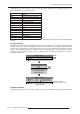
To copy a channel
Highlight the desired channel in the Channel Setup menu, then press ENTER to go to the Select Channel Operation
submenu. Select “Copy” and press ENTER—a new channel will be created. It is identical to original, which still
remains, but it is identified with the next available number from 01-99. If you change your mind and do not want to
copy the current channel, press EXIT to cancel and return to the previous menu. Copying channels is a quick
method for creating numerous channels, each of which can then be edited and adjusted for a variety of
presentations in the future.
Copy a Channel
To delete a Channel
Highlight the desired channel in the Channel Setup menu, then press ENTER to activate the Select Channel
Abbreviation Signal Type
-- No-Sync
4WH Composite (4 wire) on HC input
4WV Composite (4 wire) on V input
SG Sync-on-green (4 wire)
5W Separate H,V (5-wire)
5WR Separate H,V swapped (5-wire)
SVid S-Video
CVid Composite Video
Dig Digital
DSDI Digital Dual Link HD-SDI
DVI Digital DVI
HDMI Digital HDMI
HSDI Digital HD-SDI
SDI Digital SDI
ENTER
Channel Setup
01. 1,2 iSVid 15.73kHz- i59.94-Hz-
02. 4,1 pDig 33.72kHz+ p29.07-Hz+
Select Channel Operation
Edit
Copy
Delete
Delete Unlocked Only
Delete All Channels
Channel Setup
01. 1,2 iSVid 15.73kHz- i59.94-Hz-
02. 4,1 pDig 33.72kHz+ p29.07-Hz+
03. 1,2 iSVid 15.73kHz- i59.94-Hz-
ENTER
New Channel #03
idntical to Channel #01