
User manual


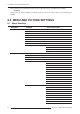


6.0 MENU AND PICTURE SETTINGS
R599791 - FORCE 3D User Manual 35
2. Image Settings 6. Input Levels 11. Color Enable
7. Advanced Image Settings 1. Gamma Settings
1. Gamma Correction
2. Gamma
3. Gamma Function
4. Gamma Slope
2. Detail Settings
1. Detail
2. Texture Enhancement
3. Detail Threshold
4. Detail Overshoot
5. Split Screen
3. Noise Reduction Settings
1. Noise Reduction
2. Block Artifact Reduction
3. Mosquito Noise Reduction
4. Split Screen
4. Color Settings
1. Select color Adjustment
2. Color Temperature
5. Dynamic Iris
1. Enabled
2. Iris Position
3. Mode
4 Dynamic Iris Settings
5. Sensibility
6. Open Speed
7. Close Speed
8. White Compression
9. Copy From
6. 3D Settings
1. 3D Mode
2. Dark Interval
3. 3D Sync Input
4. Invert 3D Input
5. 3D Sync Output
6. 3D Stereo Sync Delay
7. 3D Test Pattern
8. Frame Locking
9. Set Frame Delay
10. Actual Frame Delay
11. Full Screen Eye-Motion Filter
12. Eye-Motion Filter
13. Edit second Channel Settings
14. Main Input
15. Secondary Input
16. Display 3D Message Boxes