
User manual




6.0 MENU AND PICTURE SETTINGS
34 R599791 - FORCE 3D User Manual
Always remains in the enabled state when the power is ON. If the power is off the Menu key is disabled.
• Soft Key
Used to select an action indicated by text above the key on the LCD. If no text is shown, the associated key is
disabled.
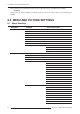
6.0 MENU AND PICTURE SETTINGS
6.1 Menu Structure
MAIN MENU SUBMENU AVAILABLE OPTIONS
1. Size and Position 1. Resize Presets
2. Size
3. Vertical Stretch
4. Pixel Track
5. Pixel Phase
6. H-Position
7. V-Position
8. Keep Aspect on Auto Setup
9. Blanking 1. Top Blank
2. Bottom Blank
3. Left Blank
4. Right Blank
2. Image Settings 1. Contrast
2. Brightness
3. Yellow Notch Filter
4. Color Space
5. Video Options 1. Enable Decoder AGC
2. Video Standard
3. Input Video Black
4. Color
5. Tint
6 Filter
7. Sampling Mode
8. Film Mode Detection
9. Chroma/Luma Delay
10. Adaptive Contrast
11. Split Screen
12. RGB Quantization Range
6. Input Levels 1. Auto Input Level
2. Red <Pr> Blacklevel
3. Red <Pr> Input Drive
4. Green <Y> Blacklevel
5. Green <Y> Input Drive
6. Blue <Pb> Blacklevel
7. Blue <Pb> Input Drive
8. Auto Color Enable
9. Clamp Location
10. Input Peak Detector