
User's Manual


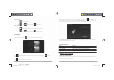


Fromthehome screen,
click
toenterSettings. Turnon Wi ‐Fi and
find
your wirelessnetwork.Signin
with your Wi‐Fi password.
Once
connected,Wi‐Fi connecti vity icon willbeshown at theright side
of
tool
bar. You may alsoclick[+] Add network tomanually input
your
wireless networkifitdoes not appearon
thelist,but iswithin
range.
OtherWi‐Fi
Options
Tapthe
Advanced
iconon theupper‐right corner of the screen
to
display advanced options and
othernetwork
information .
WhentheNetwork notification option ischecked, the
system
automaticallyscans and displaysavailable
networkswithin range.Ifit
is
unchecked, youmust tap SCANtomanually scan fornearby
networks
andtap
ADD NETWORK to manually do
so.
*Note:The 7”Pad Pl atinum recognizesWi‐Fi networksthatit
has
connectedtobefore.OnceWi‐Fi is
turnedonanda
known
connection isdetected,thedeviceautomaticallyconnectsto
that
network.
2.2
Browser
Fromyour Applicationlist,
click
toopen theweb
browser.
Touch theURLinputarea todisplay the
soft
ke yboard to typesite address.
Click to add site
to
Bookmarks
Click toaddnew browser
tab
Click toclose thebrowser
tab
ChapterThree:
Applications
3.1
Camera
Fromyour homescreen,
click
toenter thecame ra
app.
T70 User Manual |
10
T70 User Manual |
11
T
T
7
7
0
0
U
U
s
s
e
e
r
r
M
M
a
a
n
n
u
u
a
a
l
l
.
.
i
i
n
n
d
dd S
S
S
p
p
p
r
r
r
e
e
e
a
a
a
d 1
1
1
2 o
o
o
f 1
1
1
2 -
P
P
P
a
a
a
g
g
g
e
e
e
s
s
s
(
(
(
1
1
1
2
2
2
,
1
1
1
3
3
3
) 2/28/2014
7:07:17
P
M