
User's Manual


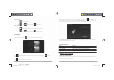


Camera
Mode
Click to takea
picture.
Click to set whitebalance
and
sce ne
mode.
Video
Mode
Click
toenter video mode. Pressthe
red
buttontorecord.Click
to
set
white
balance and time lapse
interval.
3.2
Gallery
From your homescreen,
click
toview allpicturessaved onto
the
tablet.
Click to display the picturesbyAlbums,Location,Time,
People
orTags. Click
to
enter
camera
mode .
Click tochoosean albumtoedit or
delete.
When connecting thetablet toyour PC viathe in‐boxUSB
cable,
this
icon will
appear
on the
bottom right tool bar. Click on it, and then click Turn
on
USB
storage to connect your devices. The
deviceof your
tablet
shouldthenappear on your PC under My Comp uter as
“T70”.
Turn offUSB storage to disconnect your tablet fromthe
PC.
Otherwise, you might be able toope ra te
someof theapps
properly
on your
tablet.
1.10
Accessories
Item
Function
Adapter,5V/2A Provides powertothetablet
by
charging the
battery
Micro USB Cable Connectstabletto
other
USB‐supported
devices
UserManual Assiststheuser in
operation
ofthe
tablet
ChapterTwo:Internet
2.1Wi‐Fiand
Network
Networksupport isnee ded touse the web browser.If
you
experience
any networkproblems, please
contactyour
wireless
service
provider.
T70 User Manual |
12
T70 User Manual |
9
T
T
7
7
0
0
U
U
s
s
e
e
r
r
M
M
a
a
n
n
u
u
a
a
l
l
.
.
i
i
n
n
d
dd S
S
S
p
p
p
r
r
r
e
e
e
a
a
a
d 1
1
1
1 o
o
o
f 1
1
1
2 -
P
P
P
a
a
a
g
g
g
e
e
e
s
s
s
(
(
(
1
1
1
4
4
4
,
1
1
1
1
1
1
) 2/28/2014
7:07:17
P
M