
User Manual





8
2.4. ON/OFF KEY
A long press on the key switches the instrument on.
A second long press on the key switches the instrument off when it is on.
However, it is not possible to switch the instrument off when it is in record mode and is recording.
REC
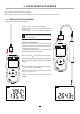
If during start-up the instrument displays the screen shown opposite, it means that a
recording session has been brutally interrupted by a power outage.
During the display of this screen, the instrument recovers the recorded data. The longer
the record, the longer the recovery. Do not interrupt the recovery or the data will be lost.
2.5. FUNCTION KEYS
Key Function
°C/°F
For the C.A 1821 and the C.A 1823
The °C/°F key toggles the unit in which the temperature is displayed between °C and °F.
°C/°F
For the C.A 1822
A short press on the key toggles the display on the upper display unit between T2 and T1-T2.
A long press on the °C/°F key toggles the unit in which the temperature is displayed between °C and °F.
MEM
REC
A short press on the MEM key records the measurement and the date.
A long press on the REC key starts or stops a recording session.
TYPE
A short press on the key switches on the back-lighting.
A long press on the TYPE key selects the type of thermocouple (K, J, T, E, N, R, S) or toggles between the
PT100 and PT1000 probes.
HOLD A short press on the HOLD key freezes the display.
A long press on the key activates or deactivates the Bluetooth link.
MAX
MIN
A short press on the MAX MIN key opens the MAX MIN mode; the current values continue to be displayed.
A second press displays the maximum value.
A third press displays the minimum value.
A fourth press results in a return to the rst-press condition and display of the current values
A long press is used to exit from the MAX MIN mode.