
User Manual





11
To display the measurements in °F, press the °C/°F key.
Wait for the display to stabilize before reading the measurement.
For more information about the response times of the sensors, refer to §5.2.3.
3.2. OTHER FUNCTIONS
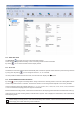
If 2 sensors are connected to the C.A 1822, it is possible to display the difference between the measurements of the two sen-
sors by pressing the key. The instrument then displays T1-T2 on the upper display unit. A second press restores the display
of T2.
The MAX MIN key can be pressed to monitor the minimum and maximum values. Pressing the xx key a second time causes the
instrument to display the maximum (on both channels in the case of the C.A 1822). After a third press, the instrument displays
the minimum. A fourth press returns it to the current values. To exit from the MAX MIN mode, long-press the MAX MIN key.
On the C.A 1822, when the MAX MIN function is active, the key is deactivated.
T1
K
MIN MAX
MAX
MIN MAX
T1
T2
T2
K
MAX
MIN
MAX
MIN
MAX
MIN
MAX
MIN
MIN
MIN MAX
T1
T2
K
P
P
P
Pressing the HOLD key freezes the display. A second press unlocks it.
3.3. RECORDING THE MEASUREMENTS
A short press on the MEM key records the measurement and the date.
A long press on the REC key starts or stops a recording session.
To see the records, you must use a PC and install the Data Logger Transfer software (see §4).
3.4. ALARMS
You can program alarm thresholds on each of the measurement channels using the Data Logger Transfer software. When the
instrument operates in stand-alone mode, if an alarm threshold is programmed, the symbol is displayed.
When a threshold is crossed, the symbol blinks.
indicates that the measurement is above the high threshold,
indicates that the measurement is below the low threshold,
indicates that the measurement is between the two thresholds.
3.5. ERRORS
The instrument detects errors and displays them in the form Er.XX. The main errors are the following:
Er.01: Hardware malfunction detected. The instrument must be sent in for repair.
Er.02: Error in internal memory. Format it using Windows.
Er.03: Hardware malfunction detected. The instrument must be sent in for repair.
Er.10: The instrument has not been adjusted or is not correctly adjusted. The instrument must be sent back to customer service.
Er.11: The update of the internal software is not compatible with the instrument (the software is that of another instrument of the
line). Install the correct internal software in your instrument.