
User`s manual




User’s Manual
23
3.3.4 FOCUS
The focus on the PTZ Camera can be operated in two modes: Auto Focus mode and
Manual Focus mode. Various settings for different models are described as follows.
18×/26× Model:
• AUTO
The optimum focus is achieved using the internal digital circuit. There are 3
modes for users to select for different conditions.
Normal AF (auto focus) mode: The PTZ Camera will automatically adjust
the focus of the picture.
Zoom trigger mode: When the zoom ratio is changed using the TELE or
WIDE buttons on the control keyboard or another control unit, the PTZ
Camera will automatically adjust the focus again after a period of time (the
preset value is initially set to five seconds) until the commands of
TELE/WIDE is terminated.
Interval AF mode: This mode is used for AF movements carried out at
particular intervals. If users pan/tilt the PTZ Camera, the PTZ Camera will
focus automatically after a period of time. The preset value is five seconds.
• MANUAL
In this focus mode, users can adjust the focus speed, ranging from 01 ~ 08.
After completing setup of focus, go back to the Main Page 1 and continue to set
the AE mode.
22×/23×/35× Model:
• AUTO
The optimum focus is achieved using the internal digital circuit. Users can
adjust the minimum auto focus range for certain special conditions; the
options are <1 cm>, <10 cm>, <30 cm>, <1 m> and <1.5m>.
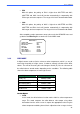
MAIN PAGE 1
LANGUAGE ENGLISH
DEFAULT CAMERA ON
BACKLIGHT OFF
FOCUS AUTO
AE MODE ENTER
WBC MODE AUTO
SETUP MENU 1 ENTER
SETUP MENU 2 ENTER
FOCUS SPEED 01