
User Manual
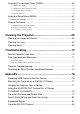
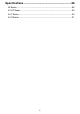

Table Of Contents
- Contents
- Safety Precautions
- Operating Precautions
- Getting Ready
- Unpacking
- Operation Flow to Projection
- General Guide
- Key and Indicator Panel
- Back Terminals
- Placing the Projector on a Desk or on the Floor
- Connecting with Another Device
- Connecting a Computer
- Connecting to a Video Device
- Outputting Audio from the Projector to Another Device
- Connecting a Microphone (XJ-UT Series, XJ-F21XN, XJ-F211WN, XJ-S400UN, XJ-S400WN)
- Connecting to a Network with a LAN Cable (Network Models Only)
- Connecting a Wireless Adapter (Network Models Only)
- LOGO Terminal (Firmware Updates, User Logo Transfers)
- Connecting a Scientific Calculator (Network Models Only)
- SERIAL Terminal (Projector Control Using Commands)
- USB Power
- Cover Included with the YW-41 Wireless Adapter
- Attaching and Removing the Cable Cover (XJ-UT Series)
- Remote Controller
- Operating the Projector
- Turning the Projector On or Off
- Selecting an Input Source (INPUT)
- Using Auto Projection Off
- Basic Image and Audio Operations During Projection
- Flipping the Projected Image Horizontally (Mirror Mode)
- Light Control
- Digital Screen Shift
- Projecting a Template
- Test Pattern Projection
- Control Panel Lock
- Configuring Remote Control ID and Projector ID Settings
- Using the Countdown Timer (TIMER)
- Using the Presentation Timer (TIMER)
- Using the Setup Menu (MENU)
- Using a Password
- Cleaning the Projector
- Troubleshooting
- Appendix
- Supplying USB Power to Another Device
- Mounting the Projector on a Wall (XJ-UT Series)
- Hanging the Projector from a Ceiling
- Using the MONITOR OUT Terminal (XJ-UT Series, XJ-S400UN, XJ-S400WN)
- Projection Distance and Screen Size
- Aspect Ratio Setting and Projection Image
- Supported Signals
- Projector RS-232C Control
- Specifications
8
Do not use the product if it is
malfunctioning.
Do not continue using the product if its
display is abnormal or if it is
malfunctioning.
Continued use creates the risk of fire
and electric shock. Immediately perform
the steps below.
Power Cord
Observe the precautions below in
order to avoid power cord fire and
electric shock.
Do not touch the plug with wet hands.
Doing so creates the risk of electric
shock.
Avoiding Water and Foreign Matter
Do not allow water, other liquids
(sports drinks, seawater, animal or pet
urine, etc.), or foreign objects (metal
fragments, etc.) to get into the
product. Should any such matter get
into the product, immediately perform
the steps below.
Continued use creates the risk of fire
and electric shock.
Do not locate a flower vase or other
liquid container on top of or next to the
product.
Liquid spilling from a container creates
the risk of fire and electric shock.
Disassembly and Modification
Do not attempt any disassembly or
modification.
For any internal inspection,
adjustment, or repair, contact your
original retailer or a CASIO Service
Center.
The product contains a large number of
high-voltage components that create
the risk of electric shock and burn
injury.
1. Turn off power.
2. Unplug the power plug from the power outlet.
3. Contact your original retailer or a CASIO
Service Center.
• Use only the included power cord.
• Do not plug the power cord into an
outlet with the wrong voltage rating.
• Ground the power cord before
plugging it into a power outlet.
• Unground the power cord after
unplugging it from the power outlet.
• Should the power cord become
damaged, contact your original retailer
or a CASIO Service Center.
• Use the included power cord with this
product only.
• Do not plug the power cord into an
outlet with the wrong voltage rating.
• Do not plug into an overloaded
extension cord or power outlet.
• Do not share the outlet supplying
power to the product with other
devices.
If you are using an extension cord,
make sure that the ampere rating of the
extension cord is appropriate for this
product.
• Do not cover the power cord with a
blanket or other material during use,
and keep it away from heating devices.
• Do not place heavy objects on the
power cord and do not leave it bundled
during use.
• Do not locate any objects in the vicinity
of the power plug and keep it easily
accessible so it can be unplugged in
case of an emergency.
-
+
-
• Do not subject a power cord to heat or
attempt to modify it, and avoid
damaging it.
• Do not subject the power cord to
excessive bending, twisting, or pulling.
• Make sure the power cord is not
pinched between the wall and the rack
or table where the product is located,
and never cover the power cord with a
cushion or other object.
1. Turn off power.
2. Unplug the power plug from the power outlet.
3. Contact your original retailer or a CASIO
Service Center.
-
-
+
-
-