
User Manual

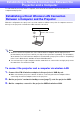
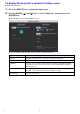

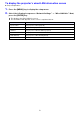
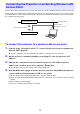
Table Of Contents
- Contents
- Establishing a Network Connection Between the Projector and a Computer
- Establishing a Direct Wireless LAN Connection Between a Computer and the Projector
- Using a Wired LAN Connection to Connect the Projector to an Existing Network
- Connecting the Projector to an Existing Wireless LAN Access Point
- Using the Projector as a NAT Router (Simultaneous Use of Wireless LAN and Wired LAN)
- Using the Remote Controller to Configure Projector Network Settings
- Using a Computer to Configure Projector Network Settings
- Preparing for C-Connection
- Network Projecting a Computer Screen Image (Using C-Connection)
- C-Connection Details
- Advanced Operations
- Controlling the Projector from an External Network Device
- Ports Used for TCP/UDP

The contents of this Environment Setup Guide are intended mainly for network
administrators. It contains information about preparing an environment that
enables network projection by the projector. This Environment Setup Guide
covers the topics below.
Configuring a network that includes the projector (including how to connect
to an existing network)
Projector network setup details
Creation of projection files for network users (One Click Connection files,
Favorites list files)
Environment Setup Guide