
User Manual
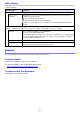


Table Of Contents
- Contents
- Establishing a Network Connection Between the Projector and a Computer
- Establishing a Direct Wireless LAN Connection Between a Computer and the Projector
- Using a Wired LAN Connection to Connect the Projector to an Existing Network
- Connecting the Projector to an Existing Wireless LAN Access Point
- Using the Projector as a NAT Router (Simultaneous Use of Wireless LAN and Wired LAN)
- Using the Remote Controller to Configure Projector Network Settings
- Using a Computer to Configure Projector Network Settings
- Preparing for C-Connection
- Network Projecting a Computer Screen Image (Using C-Connection)
- C-Connection Details
- Advanced Operations
- Controlling the Projector from an External Network Device
- Ports Used for TCP/UDP

31
Other Settings
This page lets you configure display settings for the Moderator function user list screen and Crestron
control settings.
Includes Firmware Update and Troubleshooting (For Developer).
Firmware Update
This function updates the projector’s firmware.
For more information, visit the CASIO website below.
https://world.casio.com/download/projector/
Troubleshooting (For Developer)
This page is for use by developers.
Use this item: To do this:
User List
Show user list
thumbnails.
Specify whether to show or hide thumbnail images on the user list when using the
Moderator function (page 49).
: Show thumbnails (initial default).
: Hide thumbnails, but show the terminal type.
Regardless of what is selected for this setting, the user name is always shown in the
user list.
Crestron Control
Use these settings to specify how the projector should be controlled by the Crestron controller.
IP Address Input a controller IP address of the format below.
xxx.xxx.xxx.xxx (Initial Default: Blank)
When inputting addresses for each octet (xxx parts of an address) do not input leading
zeros for one-digit and two-digit octets. For example, the following types of input are
not allowed: 029 for 29, 005 for 5, etc.
IP ID Input the controller IP ID (Initial Default: 5). Input of single-byte numerals only is allowed.
Port Input the port number for communication with the Crestron controller (Initial Default:
41794). Input of single-byte numerals only is allowed.
Update