
User Manual


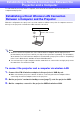

Table Of Contents
- Contents
- Establishing a Network Connection Between the Projector and a Computer
- Establishing a Direct Wireless LAN Connection Between a Computer and the Projector
- Using a Wired LAN Connection to Connect the Projector to an Existing Network
- Connecting the Projector to an Existing Wireless LAN Access Point
- Using the Projector as a NAT Router (Simultaneous Use of Wireless LAN and Wired LAN)
- Using the Remote Controller to Configure Projector Network Settings
- Using a Computer to Configure Projector Network Settings
- Preparing for C-Connection
- Network Projecting a Computer Screen Image (Using C-Connection)
- C-Connection Details
- Advanced Operations
- Controlling the Projector from an External Network Device
- Ports Used for TCP/UDP

2
Contents
Environment Setup Guide
Establishing a Network Connection Between the
Projector and a Computer.............................................. 6
Establishing a Direct Wireless LAN Connection Between a
Computer and the Projector...................................................................6
To connect the projector and a computer via wireless LAN........................................ 6
To display the projector’s network standby screen .................................................... 7
Using a Wired LAN Connection to Connect the Projector to an
Existing Network ....................................................................................8
To use a wired LAN connection to connect the projector to an existing network
that has a DHCP server ............................................................................................. 8
To use a wired LAN connection to connect the projector to an existing network
with a fixed IP ............................................................................................................ 8
To display the projector’s wired LAN information screen............................................ 9
Connecting the Projector to an Existing Wireless LAN Access
Point .....................................................................................................10
To connect the projector to a wireless LAN access point......................................... 10
To display the projector’s wireless LAN information screen...................................... 12
Using the Projector as a NAT Router (Simultaneous Use of
Wireless LAN and Wired LAN)..............................................................13
To connect a computer to the projector via wireless LAN, and to connect
the projector to an existing network at the same time .............................................. 14
Using the Remote Controller to Configure
Projector Network Settings.......................................... 15
To use the projector’s Setup Menu to configure network settings............................ 16
To use the projector’s Setup Menu to initialize network settings............................... 17
Using a Computer to Configure Projector Network
Settings .......................................................................... 18
Web Service Page Top Menu...............................................................18
To display the Web Service page............................................................................. 19
Projector Setup ....................................................................................20
To log into the Projector Setup page ....................................................................... 20
To configure projector settings ................................................................................ 21
To change the Web Service page password............................................................ 22