
User manual - ITM461_EA


Table Of Contents
Operation Guide ITM-461
3
Important!
QQO
Ensure that the plus (+) and minus (–) ends of the batteries
are facing correctly when you load them.
QQO
The symptoms listed below indicate that battery power
is getting low. Replace batteries as soon as possible
after any one of these symptoms occurs. Regular battery
replacement is recommended.
••• Incorrect•operat ion•(resetting•of•time, •in cor rec t•timekeeping,•
etc.)
••• Dim•display•figur es•or•blank•d isp lay
••• Slow•or•stopped•timekeeping•(analog•model)
••• Even•if•the•cloc k•is•operating•normally,•b e•sure•to•replace•
the•batteries •at•least•once•a •ye ar.
QQO
The batteries are not chargeable. Never try to charge them.
••• Store•batteries•out•of•the•re ach•of•small•chi ldr en.•Should•
anyone•ever•a cci den tal ly•swallow•a•battery,•c ont act•a•
physician•immedi ate ly.
••• Should•a•battery•ever•leak,•immediately •wi pe•up•the•fluid,•
without•allowing•it•to•come•into•contact•with•your•s kin .
Using the Clock for the First Time
1.••Load•batteries.•(Refer•to•“Replacing •Ba tte rie s”. )
Open•the•battery•cover•on•the•back•of•the• clo ck•and•correctly•
load•batteries•ensuring•th at•their•plus •(+ )•and•minus•(–)• end s•of•the•
batteries•are •fa cin g•correctly.
••• Loading•batteries•will•cause•the•hands•of•the•clock•to•
start•changing•automatically•until•they•reach•12:0000•
(hour:minute:second).
••• The•hands•always•move•clockwise.•They•d o•not•move•
counterclockwise.•
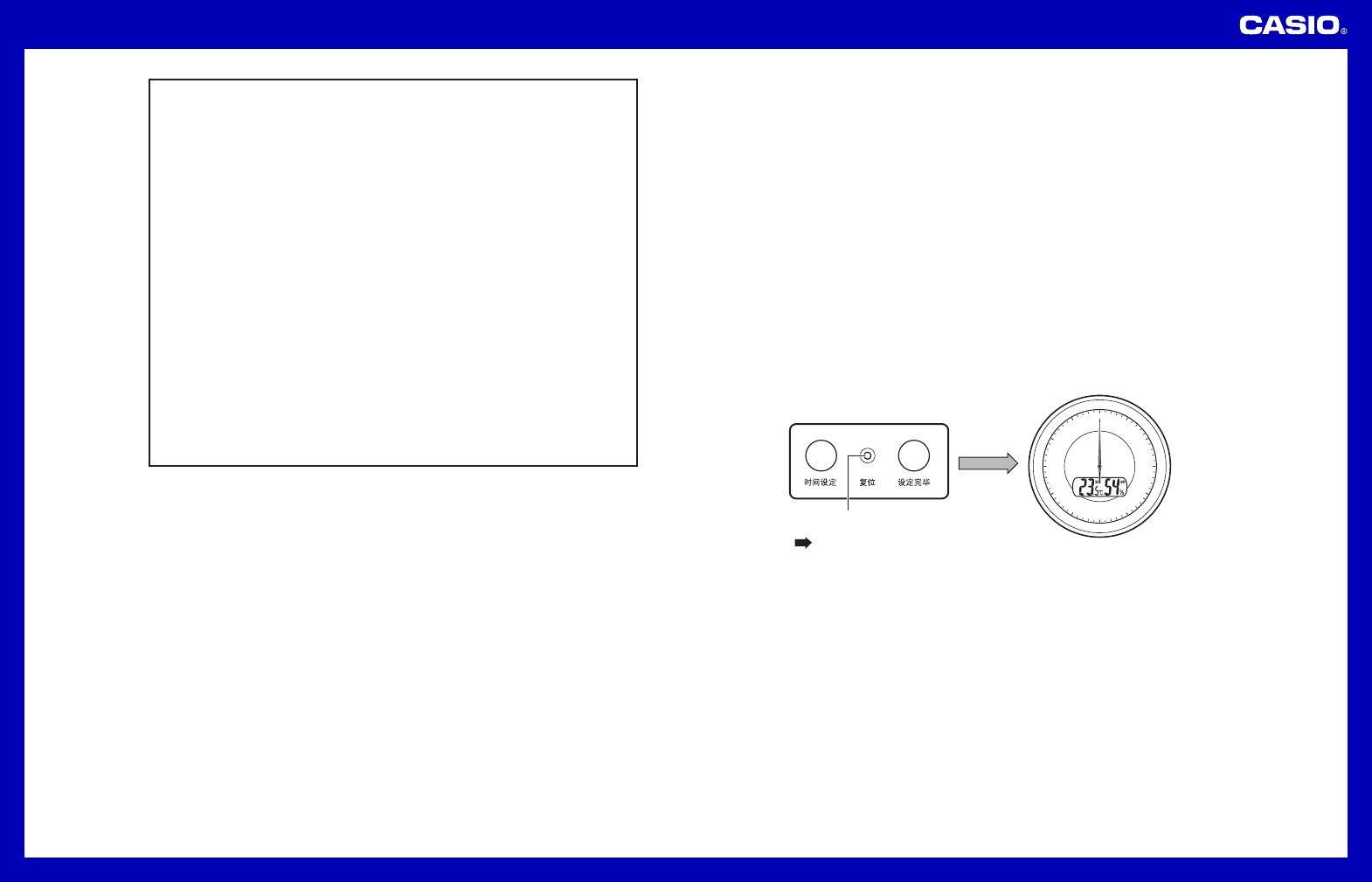
2.••Press•the•reset•button•on•the•back•of•the• clo ck.•(Reset•Op era tio n)
••• After•the•reset•operation•is•complete,•clo se•the•battery•cover.
••• When•the•hands•stop•at•12:0000•press•the•time•adjustment•
end•button.•This•will•cause•the•hands•to•s tar t•normal•
timekeeping•m ove men t.
12
6
3
48
210
57
111
9
Reset button
Press