
User manual - EX100_M29_FB





109
Advanced Settings (REC MENU)
Procedure
Enter the REC Mode * [MENU] * “
r
REC MENU” Tab *
Key Customize
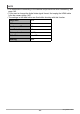
You can assign any one of the functions below to the Control Dial. After you do, you
can change the setting of the function by rotating the Control Dial, or by pressing the
left/right keys or up/down keys.
*1 The control dial operates as described below in the M (Manual Exposure)
recording mode.
• When a function other than “Aperture” is assigned to the function ring (page
46), rotating the control dial adjusts aperture.
• When “Aperture” is assigned to the function ring, rotating the dial adjusts
shutter speed.
*2 When performing the operations below, the functions assigned to the left and right
keys are fixed and are not affected by the functions you assign to them with Key
Customize “L/R Key”.
• When “MF” is selected as the focus mode, the left and right keys perform focus
adjustment.
• When “I Multi” is selected as the AF area setting, the left and right keys shift
the focus area.
Assigning Functions to the Control Dial (Key Customize)
Operation Setting Description
See page:
Control Dial*
1
EV Shift Exposure compensation
Page 55
White Balance Hue Adjustment
Page 48
ISO
Changes the ISO sensitivity
setting.
Page 53
ISO High Limit
Specifies the ISO sensitivity high
limit.
Page 120
Self-timer Selects the self-timer time.
Page 47
Focus Changes the focus mode.
Page 50
Off No function assigned to the dial.
L/R Key
*
2
,
U/D Key
CS Enters the CS Mode.
Page 68
ND Filter Reduces light intensity.
Page 115
White Balance Hue Adjustment
Page 48
ISO
Changes the ISO sensitivity
setting.
Page 53
ISO High Limit
Specifies the ISO sensitivity high
limit.
Page 120
Off
No function assigned to the [4],
[6], [8] and [2] keys.