
Software Starter Guide (For the Canon Digital Camera Solution Disk Version 27)






95
Shooting from a Computer (Remote Shooting)
You can shoot still images by operating the camera shutter remotely from a computer over a
wireless connection. This is particularly useful for checking images on the larger display of the
computer as you record them and for high volume photography without worrying about filling
the camera’s memory card.
Preparing for Remote Shooting
1
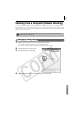
While connected, set the camera to the playback mode.
For a wireless network connection, see Connecting (p. 85).
The Camera Control Window will appear on the computer's screen.
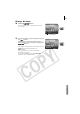
2 Click the [Remote shooting] tab.
3 Click [Starts Remote Shooting].
4 Select a destination for the captured images and click [OK].
You cannot shoot remotely when the camera is connected via an interface
cable (wired connection).