
Software Starter Guide (For the Canon Digital Camera Solution Disk Version 27)






91
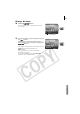
All Images, New Images
2 Press the F
FUNC./SET
button.
The menu will appear at the bottom left of the
LCD monitor.
3 Select [All Images] or [New Images] and press
the button.
Alternatively, after selecting [All Images] or
[New Images], select [Transfer] and press the
FUNC./SET
button.
The images will download. The wireless lamp and
button will blink while they are
downloading.
The screen in Step 1 will return when the
download is complete.
To halt downloading, press the FUNC./SET
button to cancel the download.
Direct Transfer Menu