
Software Starter Guide (For the Canon Digital Camera Solution Disk Version 27)






87
Disconnecting
Disconnect the camera from the computer using camera commands.
1 Set the camera to the playback or shooting modes.
2 Press the M
MENU
button.
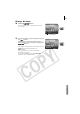
3 In the [ (Wireless)] menu, select [Connect/
Disconnect] and press the F
FUNC./SET
button.
4 After you select the target device, select
[Disconnect].
5 Press the F
FUNC./SET
button.
This will disconnect the camera and computer.
The wireless lamp will turn off when the camera is
disconnected from the computer.