
Software Starter Guide (For the Canon Digital Camera Solution Disk Version 27)





Using the Software on the Windows Platform – The Basics
28
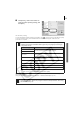
5 Click [2 Select Printer & Album Type].
Once you have chosen a printer, select
[Free Form] in the Album type category.
6 Click [3 Select Paper] and select the
paper size and orientation.
7 Click [Decorate Album] and change the
design of the image background and
border as desired.
Click the [Themes], [Backgrounds], [Photo
Frames], [Text Frames] or [Clipart] button to
switch between selections.
Perform the procedures according to the
instructions beside the symbol.
• The [Themes] category provides consistent designs for use throughout
an entire album.
•You can also click [Add Titles & Captions] to add text as a title or caption.