
PowerShot SD430 DIGITAL ELPH WIRELESS/DIGITAL IXUS WIRELESS Camera User Guide Basic






16
Downloading Images to a Computer
The following methods can be used to download images recorded by the
camera to a computer.
z Installing the supplied software and transfering
images to the computer
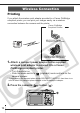
• Connecting wirelessly between the camera and computer*
• Connecting the supplied interface cable to the camera and to the
computer
* Connecting wirelessly between the camera and a computer is only possible
with the Windows XP SP2 operating system.
z Transfering images to the computer without
installing the supplied software
• Connecting the supplied interface cable to the camera and to the
computer
z Using a Memory Card Reader
See the supplied Software & Wireless Guide for details.
* Please also see the Windows XP and Mac OS X Users leaflet.