
PowerShot S80 Camera User Guide Basic



23
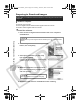
Downloading Images to a Computer
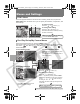
The following window opens when you establish a connection between
the camera and computer. If it fails to appear, click the [Canon
CameraWindow] icon on the Dock (the bar that displays at the bottom of
the desktop).
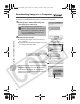
Download the images using the camera or the computer.
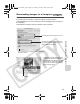
Thumbnails (small versions) of the
downloaded images will display in
the ImageBrowser Browser Window.
By default, the downloaded images
are saved into folders according to
their shooting dates.
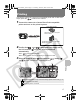
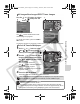
Downloading Images Using the Camera
You can set the type of image to download and the
destination folder.
Downloading Images Using a Computer.
By default, all images that have yet to be
downloaded will download.
Thumbnails
Downloading Images to a Computer
01_EC176Basic_E.fm Page 23 Tuesday, June 28, 2005 10:06 AM