
LV-7575 BASIC SERIAL COMMAND FUNCTIONAL SPECIFICATIONS

LV-7575 Basic Serial Command Functional Specifications
19/26
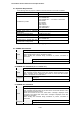
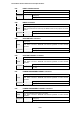
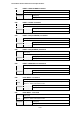
6.51 INPUT 1 ANALOG RGB Command
Command “C50” [CR]
Detail Select Analog RGB input in Input 1
Acceptable [ACK] [CR]
Response
Unacceptable “?” [CR]
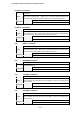
6.52 INPUT 1 SCART Command
Command “C51” [CR]
Detail Select SCART input in Input 1
Acceptable [ACK] [CR]
Response
Unacceptable “?” [CR]
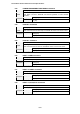
6.53 INPUT 1 DVI (PC DIGITAL) Command
Command “C52” [CR]
Detail Select DVI (PC Digital) input in Input 1
Acceptable [ACK] [CR]
Response
Unacceptable “?” [CR]
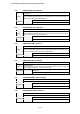
6.54 INPUT 1 DVI (AV HDCP) Command
Command “C53” [CR]
Detail Select DVI (AV HDCP) input of Input 1
Acceptable [ACK] [CR]
Response
Unacceptable “?” [CR]
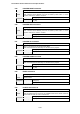
6.55 INPUT 1 MONITOR OUT Command
Command “C54” [CR]
Detail Set Input 1 to MONITOR OUT
Acceptable [ACK] [CR]
Response
Unacceptable “?” [CR]
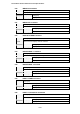
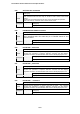
6.56 LENS SHIFT + Command
Command “C5D” [CR]
Detail
Move projection area upward. This command works the same way as “LENS
SHIFT ▲” button of the remote control.
Acceptable [ACK] [CR]
Response
Unacceptable “?” [CR]
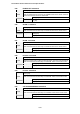
6.57 LENS SHIFT - Command
Command “C5E” [CR]
Detail
Move projection area downward. This command works the same way as “LENS
SHIFT ▼” button of the remote control.
Acceptable [ACK] [CR]
Response
Unacceptable “?” [CR]