
LV-7575 BASIC SERIAL COMMAND FUNCTIONAL SPECIFICATIONS

LV-7575 Basic Serial Command Functional Specifications
12/26
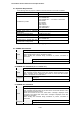
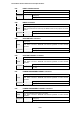
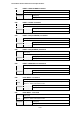
6.8 INPUT 1 Command
Command “C05” [CR]
Detail
Select Input 1. This command works differently from the command by “Input 1”
key of the remote control. When Input 1 has been already selected, this
command does not execute the source switching; just for switching to Input 1.
Acceptable [ACK] [CR]
Response
Unacceptable “?” [CR]
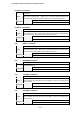
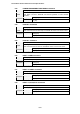
6.9 INPUT 2 Command
Command “C06” [CR]
Detail
Select Input 2. This command works differently from the command by “Input 2”
key of the remote control. When Input 2 has been selected, this command does
not execute the source switching; just for switching to Input 2.
Acceptable [ACK] [CR]
Response
Unacceptable “?” [CR]
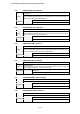
6.10 INPUT 3 Command
Command “C07” [CR]
Detail
Select Input 3. This command works differently from the command by “Input 3”
key of the remote control. When Input 3 has been selected, this command does
not execute the source switching; just for switching to Input 3.
Acceptable [ACK] [CR]
Response
Unacceptable “?” [CR]
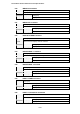
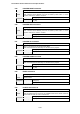
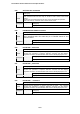
6.11 NETWORK Command
Command “C08” [CR]
Detail Select Network Input
Acceptable [ACK] [CR]
Response
Unacceptable “?” [CR]
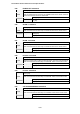
6.12 VOLUME + Command
Command “C09” [CR]
Detail
Volume Up
This command works the same way as “VOLUME +” button of the projector and
remote control.
Acceptable [ACK] [CR]
Response
Unacceptable “?” [CR]
6.13 VOLUME – Command
Command “C0A” [CR]
Detail
Volume Down
This command works the same way as “VOLUME -” button of the projector and
remote control.
Acceptable [ACK] [CR]
Response
Unacceptable “?” [CR]