
LV7565_Basic_Command_Specification

Basic Serial Command Specification Page 18 of 20
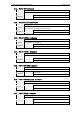
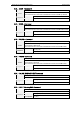
7.3.2. “80” [CR]
STAND BY
When the status is STAND BY, Status Read Commands are always acceptable, but
Functional Execution Commands are not acceptable except Power ON Command.
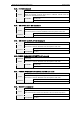
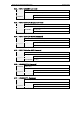
7.3.3. “40” [CR]
Processing Count Down
When “Display” in Setting Menu is ON and Power ON is executed, it starts
processing Count Down. During this process, control commands except Power ON
Command (“C00” [CR]) are unacceptable. When Power ON Command is executed,
processing Count Down is terminated and the status moves to Power ON.
Also, when “Display” OFF in the setting menu is set, processing Count Down is
skipped and the status moves to Power ON quickly.
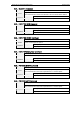
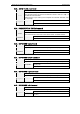
7.3.4. “20” [CR]
Status: Cooling
When status is Power ON, and Power OFF Command (“C01” [CR]) is executed, it
moves to cooling status.
This cooling status automatically moves on to Stan By after the lamp turns off and
the fan spin for about 90seconds.
This Cooling Down works for lamps and other optical accessories. Control
commands are not available for this status.
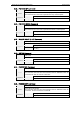
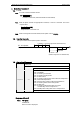
7.3.5. “10” [CR]
Abnormal power supply voltage
When the power supply voltage inside the Projector reaches abnormal power supply
voltage, the power will be automatically turned off. The Projector returns “10”
[CR] and cooling fan is also stopped at the time.
7.3.6. “28” [CR]
Processing Cooling Down because of exceeding critical temperature. When the
temperature inside a projector is out of the operating temperature, it automatically
starts cooling down. Response is “28 (CR) at the time.
Even if when the temperature is processing low, the cooling down is executed.
7.3.7. “08” [CR]
Abnormal temperature
When the temperature does not go down after cooling down due to the abnormal
temperature, this is the response. The Projector keeps the stand by status.