
imageRUNNER ADVANCE Direct Enlargement Copy Guide


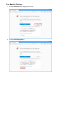


For Google Chrome:
1. Select Advanced on displayed screen.
2. Select Proceed to XXX.XXX.XXX.XXX. ("XXX.XXX.XXX.XXX" is printer's IP address.)
The Remote UI screen appears.
Note
If you download and register the root certificate to the web browser, the message screen does not appear
after the next time. For details, refer to printer's manual.