
imagePROGRAF PRO-6000S series (PDF) User Manual (Windows)
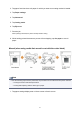
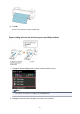



After the roll is rewound, it stops automatically.
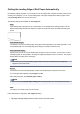
Manual (for paper of which the leading edge rubs the printhead)
Note
• Once the following step has been performed, the procedure can be started from step 8 the next time.
• Printing the second and subsequent times
• Printing after replacing with the same type of paper
1.
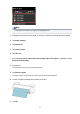
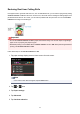
Tap paper settings display area on Home screen of touch screen.
Note
•
If the Home screen does not appear, tap the Home button.
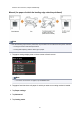
2. Tap paper feed slot where roll paper for which you want to set cutting method is loaded.
3.
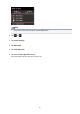
Tap Paper settings.
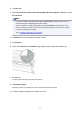
4. Tap Advanced.
5. Tap Cutting mode.
83