
imagePROGRAF PRO-6000S series (PDF) User Manual (Windows)

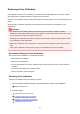

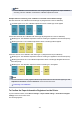
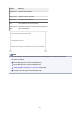



3. Flick Home screen and tap Maintenance.
Touch Screen
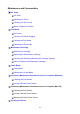
The Maintenance screen appears.
4. Tap Color calibration.
5.
Tap Auto adjust.
A confirmation message appears.
Note
• For details about menu items other than Auto adjust, see "Other Menu Items."
6.
Tap Yes.
The paper source setting screen appears.
7.
Select and tap paper source with loaded paper.
After the paper is confirmed, and color calibration is executed, the calibration adjustment value is set
automatically.
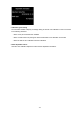
Other Menu Items
• Enable/disable adjustment values
You can select whether to apply the calibration adjustment value when printing.
However, for settings that differ from the Calibration Value of the printer driver, the values specified in
the printer driver take priority.
• Adjustment information
You can confirm the color calibration adjustment date/time and the executed media type.
323