
Guide for Preview (Windows)


Moving a Page
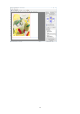
You can move a page to display when you select Go to Page from the View menu.
Setting Details
First Page Go to the first page.
Previous Page Go to the previous page.
Next Page Go to the next page.
Last Page Go to the last page.
Go To Page Go to the specified page.
Note
• You can also move a page by clicking on the tool bar.
27