Guide for Media Configuration Tool (Windows)
Manuals
Brands
Canon Manuals
large format printers
imagePROGRAF PRO-6000S
41
42
43
44
45
46
47
48
49
50
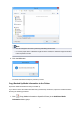
2.
Click the
Y
es
button.
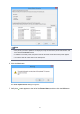
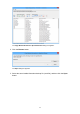
The
Save As
dialog box appears.
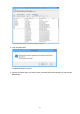
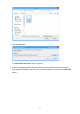
3.
Specify the folder where you want to save the media information backup file, and click the
Save
button.
44
1
...
...
42
43
44
45
46
...
...
93