
Guide for Media Configuration Tool (Mac)
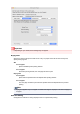
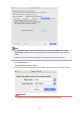
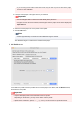

Ink Usage
Selects and sets the upper limit on the amount of ink to use when printing on customer paper from
among several levels.
For details on setting the ink level, see "Setting Ink Level."
Important
• After setting the Calibration Target and ICC Profile sheets, changes to the ink usage on the
Advanced Paper Settings sheet will disable the settings on the Calibration Target and ICC
Profile sheets. In this case, set the Calibration Target and ICC Profile sheets again.
• If you change the ink usage level, the type of black ink that will be used may change.
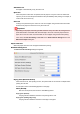
Paper Thickness (Head Height)
Sets the height of the printhead. Set this higher if the printhead is rubbing against the paper.
Auto
Automatically sets the height of the printhead to match the selected base paper depending on
the environment and printing mode.
Super Low/Low/Medium-low/Standard/Medium-high/High
You can specify six levels. Depending on your model, Super Low and Medium-low may not be
available.
The higher the level, the more distance between the printhead and the paper.
Important
• If you set Paper Thickness (Head Height) too low, the printhead might rub against the
paper. If the printhead rubs against the paper, there will be scratches in the printing results
and the printhead may be damaged.
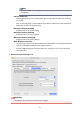
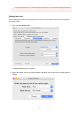
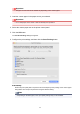
Transport Unit Vacuum Strength
Sets the vacuum strength for paper on the platen. If the printhead is rubbing against the paper, this
may be fixed by increasing the strength of the vacuum. If the edges of images are washed out, this
may be fixed by decreasing the strength of the vacuum.
Auto
Automatically sets the vacuum strength that matches the selected base paper.
Weak/Medium-weak/Standard/Medium-strong/Strong
You can select from among five available levels.
Note
•
If the paper thickness is 0.004 inch (0.1 mm) or less, it is recommended that Transport
Unit Vacuum Strength be set to Weak.
Important
•
If changes are made to the Transport Unit Vacuum Strength, check that there is no
rubbing against the paper. (If the printhead rubs against the paper, there will be scratches
in the print results.) If the printhead rubs against the paper, the printhead may be damaged.
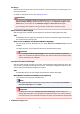
4. Calibration Target sheet
84