
Guide for Media Configuration Tool (Mac)


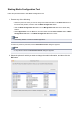

Starting Media Configuration Tool
Follow the procedure below to start Media Configuration Tool.
1. Execute any of the following:
• Select the printer for which you want to change the media information on the Basic Tool sheet of
the Quick Utility Toolbox, and then click the Media Configuration button.
•
Click the Media Configuration Tool button on the Management Tool sheet in the Quick Utility
Toolbox.
•
Select Applications from the Go menu, and then double-click the Canon Utilities folder > Media
Configuration Tool folder > and Media Configuration Tool icon in order.
Note
•
Quick Utility Toolbox is a Canon software application.
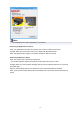
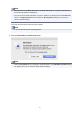
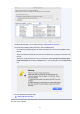
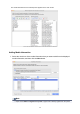
A search for printers is performed, and the Select Base Printer dialog box appears.
Note
• It may take time before the Select Base Printer dialog box appears.
2.
Select the printer for which you want to change the media information, and then click the
OK button.
17