
Guide for Free Layout (Windows)
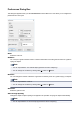
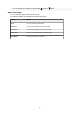
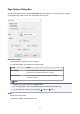

You can also execute Print from the File menu.
Undo
Reverses the last edit.
You can also execute Undo from the Edit menu.
Redo
Restores the last edit.
You can also execute Redo from the Edit menu.
Cut
Cuts the selected object.
You can also execute Cut from the Edit menu.
Copy
Copies the selected object.
You can also execute Copy from the Edit menu.
Paste
Pastes the cut or copied object.
You can also execute Paste from the Edit menu.
Delete
Deletes the selected object.
You can also execute Delete from the Edit menu.
Rotate Left 90 Degrees
Rotates the selected object 90 degrees counterclockwise.
You can also set it with Rotate Left 90 Degrees in the Object menu.
Rotate Right 90 Degrees
Rotates the selected object 90 degrees clockwise.
You can also set it with Rotate Right 90 Degrees in the Object menu.
Auto Arrange Object
Automatically positions the object.
You can also set it with Auto Arrange Object in the Object menu.
Folded Duplex
Creates a folded duplex object.
You can also execute Folded Duplex from the Edit menu.
Align Top
Lays out the objects, justifying them to the top.
You can also set it with Align Top in the Object menu.
21