
Guide for Free Layout (Mac)

Page Setup Dialog Box
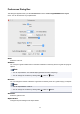
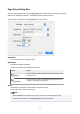
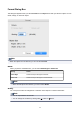
This dialog box appears when you select Page Setup from the File menu.This dialog box provides
selections for setting the media size, orientation and other important features.
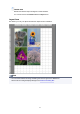
These settings are applied to the Layout Area of the main window.
Paper Size
You can select the size of the print media.
Orientation
This selects the paper orientation.
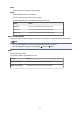
The following settings are available for orientation.
Setting Details
Vertical
Prints the image and text created with the application software in the
orientation as it is.
Horizontal
Prints the image and text by rotating sideways 90 degrees from the
orientation as specified in the application.
Scale
This enlarges or reduces the data printed on the selected paper.
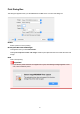
This is always set to 100% in Free Layout.
Note
• This is disabled in Free Layout even if you try to set it to a value other than 100%.
• To change this setting, use the Page Setup panel of your application.
26