
Guide for Free Layout (Mac)
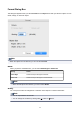

Preferences Dialog Box
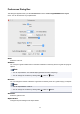
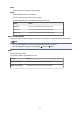
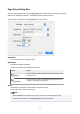
This dialog box appears when you select Preferences from the Canon imagePROGRAF Free Layout
menu. You can set the Free Layout preferences.
Units
Select the ruler unit.
Gridlines
You can input a grid line width value in numerical characters so that they serve as a guide to laying out
objects.
Note
• You can input between 10.0 and 200.0(mm) (between 0.39 and 7.87(inch)).
• You can change the numbers by clicking either button or button.
Divisions
You can change the number of divisions of grid lines so that they serve as a guide to laying out objects.
Note
• You can input between 1 and 10.
• You can change the numbers by clicking either button or button.
Grid Color
Select the grid line color.
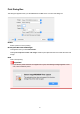
Object Frame
Configure the print settings for the object border.
24