
Guide for Free Layout (Mac)




Starting Free Layout
Follow the procedure below to start the Free Layout.
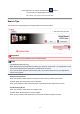
1. Open Print dialog box.
From the application software's File menu, select the printer setup menu to open the Print dialog box.
Note
•
Normally, select Print from the File menu.
2.
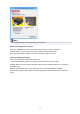
From PDF pop-up menu, select Canon imagePROGRAF Free Layout.
Click the PDF pop-up menu and select Canon imagePROGRAF Free Layout from the list.
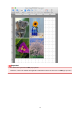
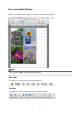
Free Layout main window is displayed.
17