
Guide for Device Management Console (Windows)
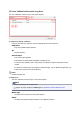

In Device Management Console, multiple printers that can print with the same color are called calibration-
linked printers.
Calibration-linked printers are grouped with the same calibration group name and displayed.
Important
• Calibration link is performed for multiple printers that meet the following conditions.
• The printer belongs to the same series that supports calibration link.
• The same media type is selected in Calibration sheet > Media Type on the main screen.
For models for which Media Type cannot be selected, the same media type is loaded in the
printer.
• Color calibration is performed at least once for each printer with the above paper.
Note
• Move the mouse pointer over Calibration group to display the media type to be grouped.
• Double-click Calibration group to open and close the Calibration group tree.
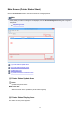
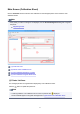
(2) Execute Color Calibration Area
Media Type
Select a media type supported by the printer.
Important
• Depending on the model used, displays only the media type loaded in the printer-.
(2-1) Guide message area
Messages related to color calibration appear.
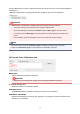
Calibration button
The Calibration dialog box appears, allowing you to perform color calibration.
Calibration advisability
Displays the advisability for executing color calibration. The progress bar grows until the time when
calibration is recommended.
58