
Guide for Device Management Console (Mac)


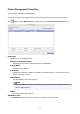

Unregister button
The printer selected in Printer List is deleted.
Note
• You cannot click this button if a printer is not selected.
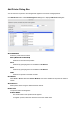
Advanced Settings button
The Advanced Printer Settings dialog box appears, allowing you to change the printer display name.
Note
• You cannot click this button if a printer is not selected.
Import button
Imports the managed printer(s) from a file.
The managed printers that are imported in Printer List appears.
Important
• When importing a printer connected with IPv6, you must turn on the printer and establish
communications.
If you import while communications are not established, Not Found appears under Status in the
Printer List, and the printer cannot be registered. If this happens, temporarily delete the printer
from the Printer List with the Unregister button, turn on the printer, and import again after the
communications have been established.
Export button
Exports the managed printers displayed in Printer List to a file.
Note
• A printer connected by USB cannot be exported.
57